
This interface allows configuration of all barometric altimeter parameters.
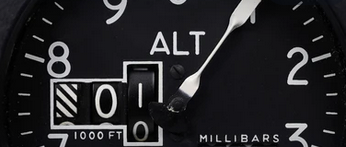
Altitude Mode
[QNH]
[QFE]
The altimeter can be set either to QNH or QFE mode.
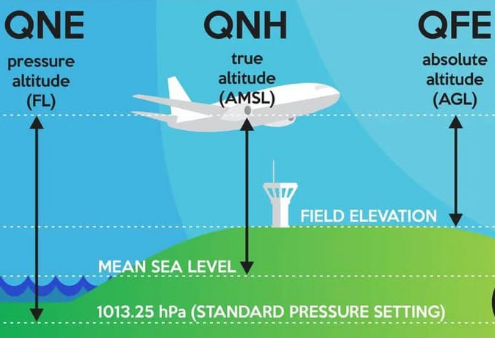
QNH is the altimeter setting that makes the altimeter read airfield elevation above mean sea level (MSL) when the aircraft is on the ground. In flight, it shows altitude (AMSL).
QFE is the setting that makes the altimeter read zero on the ground. In flight, it shows height above the airfield.
If the standard pressure of 1013.25 hPa is set (QNE), the altimeter is useful to keep flight levels (FL).
Auto Transition
[Disable]
[Enable]
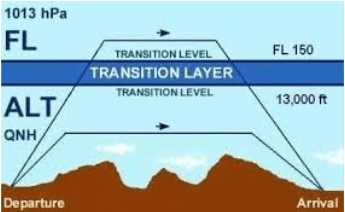
With this setting, the altimeter can be automatically switched to the QNH standard pressure of 1013.25 hPa once the aircraft passes the defined transition altitude or also called transition layer.
Transition Altitude
50.00 FL
With this setting, the country-specific transition altitude can be defined as a flight level (FL). This parameter is only relevant when the automatic transition function is activated. Below the transition altitude, the altimeter operates using the local QNH setting; above it, the system automatically switches to QNE based on the standard pressure setting of 1013.25 hPa.
Alt. Source
[TE Sensor]
[Baro Sensor]
[GPS/FLARM]
Either the TE sensor or the baro sensor or even an external source like GPS or FLARM can be selected as the altitude source. The baro sensor is the default. Using the TE sensor is only meaningful if total energy altitude is required or for specific test scenarios.
Alt. Quantization
[Disable]
2
5
10
20
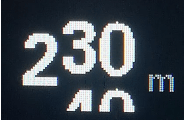
This setting defines the quantization interval of the altitude display between 2 and 20 meters (or 6–60 ft). In the image above, the default interval is 10 meters. The last two digits of the altitude then scroll upward or downward like a mechanical counter wheel, which greatly improves readability during altitude changes compared to a standard digital readout.


