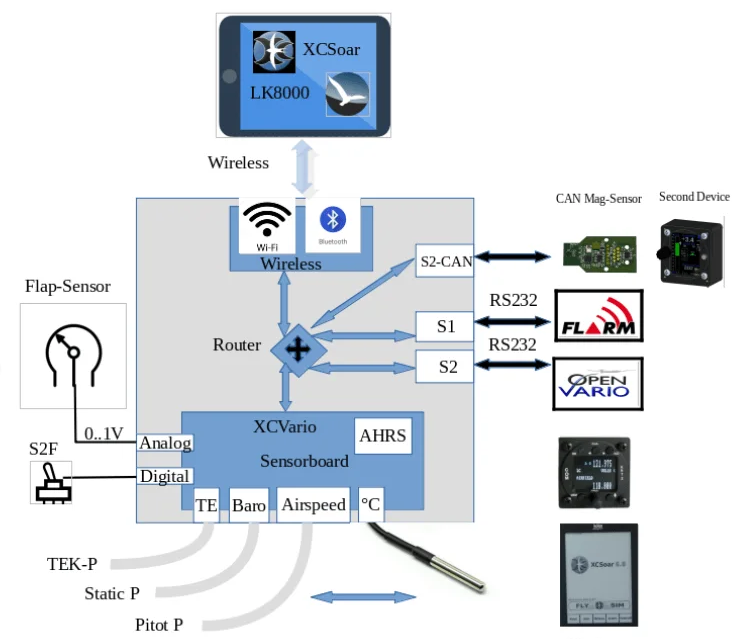
The following system overview shows how the XCVario Pur integrates into a modern cockpit environment.
A typical configuration uses an Android device running XCSoar connected via Classic Bluetooth, or Naviter SeeYou Mobile connected via Bluetooth Low Energy (BLE) to the wireless interface. A FLARM device is connected to Interface S1 via cable.
In the Pur version, external devices are configured in a single, streamlined dialog. All data routing between wireless interfaces, S1, and S2 is handled automatically. XCSoar instantly receives Vario, GPS, FLARM, and other sensor data—regardless of where devices are connected—without any manual routing configuration.
The wireless interface ensuring stable, low-latency communication with modern Android devices.
WiFi is also available enabling control of an additional device on Interface S2, such as a radio or navigation unit.
The Pur firmware further adds Auto-Connect logic for CAN-based devices (MagSens rev.1, Jumbo), and serial configuration changes take effect instantly without requiring a reboot.